
Adding Organization Seats
Activating clinic seats, adding them mid-cycle, and scheduling reductions.
A seat is one doctor's subscription place inside a clinic. It is all managed under Settings → Team & clinics → Plans & billing.
How seats work
Three things to understand before buying:
- One doctor, one seat. The clinic Owner and Admins included.
- Quota is per seat, not a shared pool. A Basic clinic with 5 seats gives 75 hours to each doctor, not 75 hours split five ways. Each seat's quota resets monthly, like a personal subscription.
- Price = plan price × seats × period. There is no separate organization plan; clinics use the same Starter, Basic, or Max, and one tier applies to the whole clinic.
| Plan | Quota per seat |
|---|---|
| Medisa Starter | 40 hours |
| Medisa Basic | 75 hours |
| Medisa Max | 145 hours |
The annual cycle uses the discounted annual price, and that discount carries into the per-seat price.
Prices are not listed here
The per-seat price and the plan contents that apply are always the ones shown on your clinic's Plans & billing page, and those are the binding ones.
Activating seats
A newly created clinic has no seats and cannot be used yet.
Open the Plans & billing tab.
Pick the plan, the period (monthly or annual), and the number of seats. The minimum is one — your own, as the Owner.
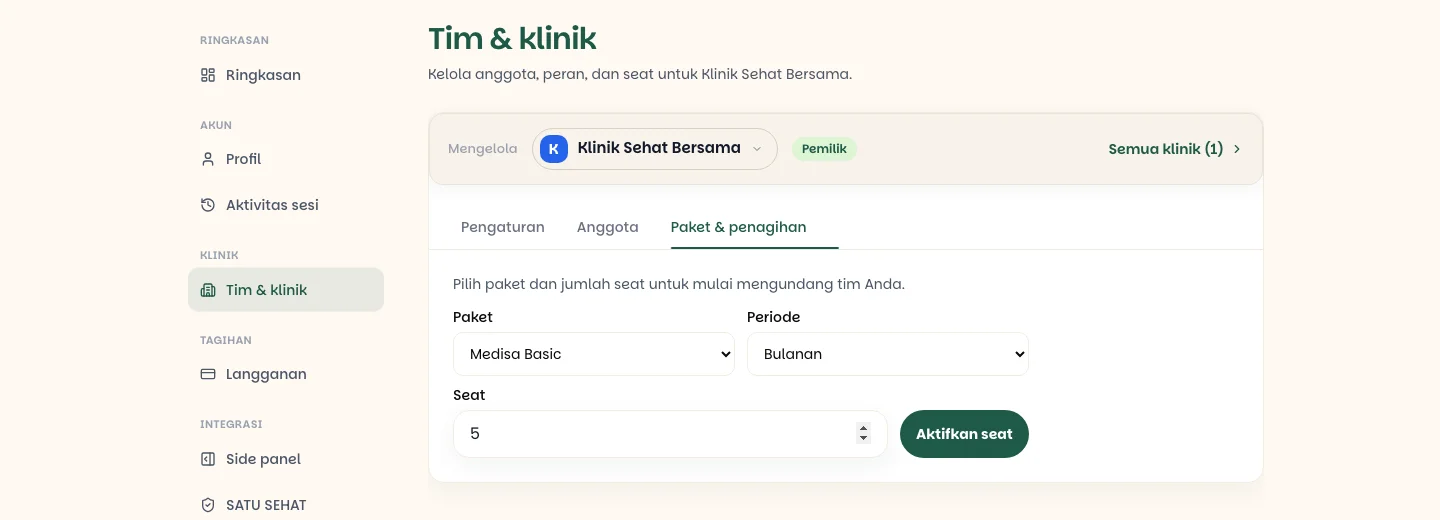
Press Activate seats and complete the payment. Vouchers are validated against the per-seat price first, then multiplied by the seat count. The clinic goes active once the payment is confirmed, and you take the first seat.
Once active, the summary shows the plan, the period, seats assigned out of seats purchased, the quota per seat, and the renewal date.
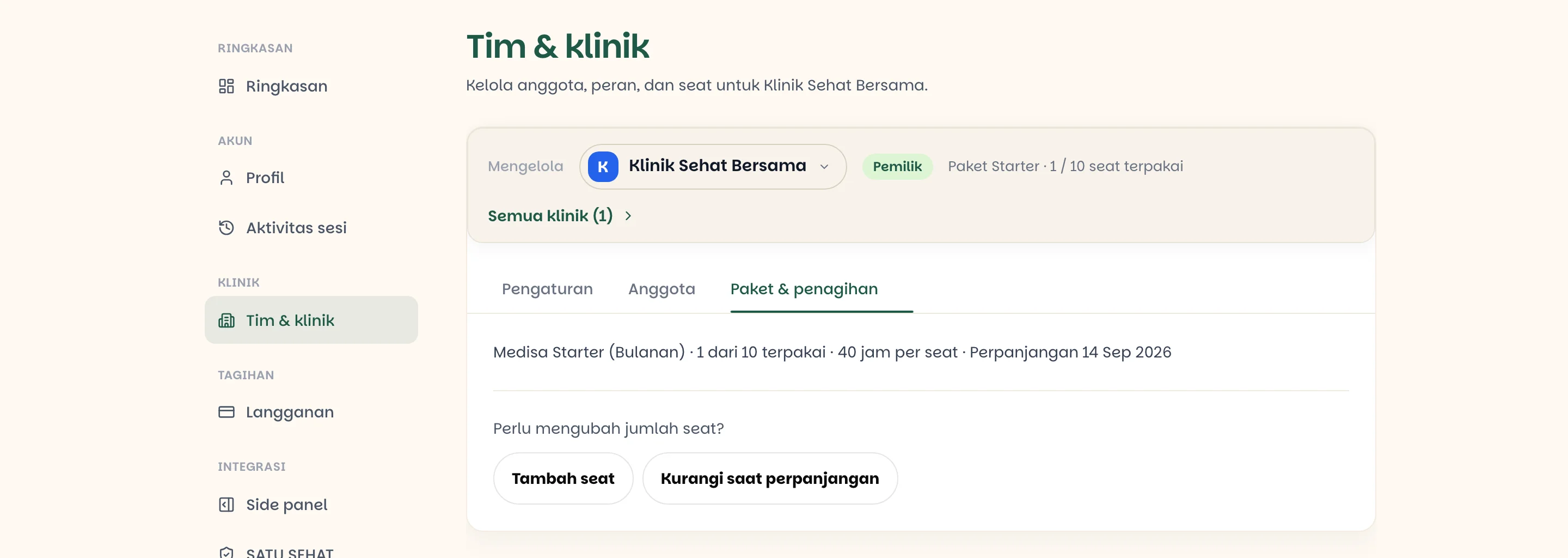
Adding seats
When the team grows mid-cycle, press Add seats, enter how many, and add a voucher code if you have one.
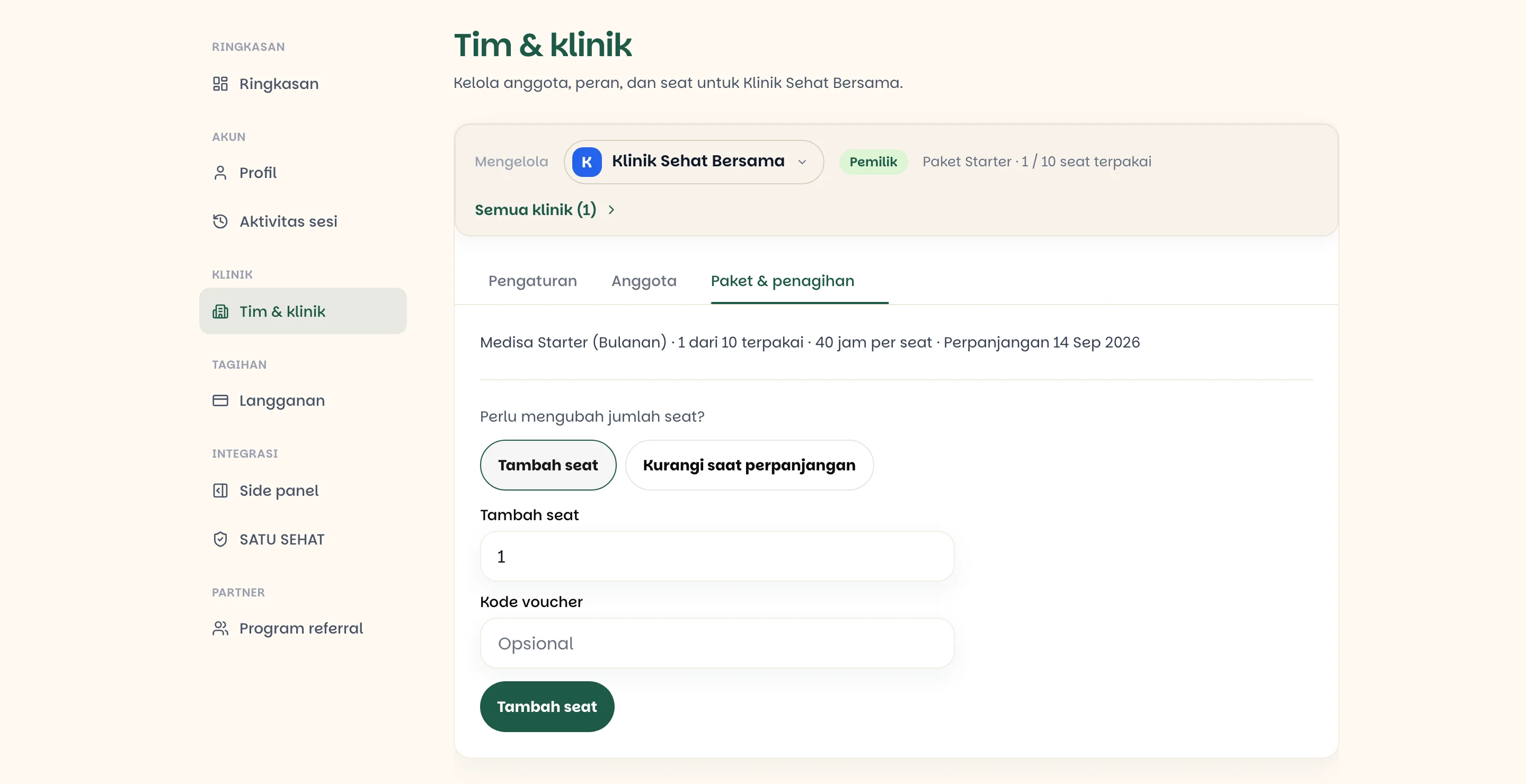
The charge is pro-rated — you pay only for the days left in the current cycle. New seats are available as soon as the payment is confirmed and can be filled by invitation right away.
Reducing seats
A reduction does not take effect immediately. Press Reduce at renewal, set the seat count you want for the next cycle, and press Schedule seat change.
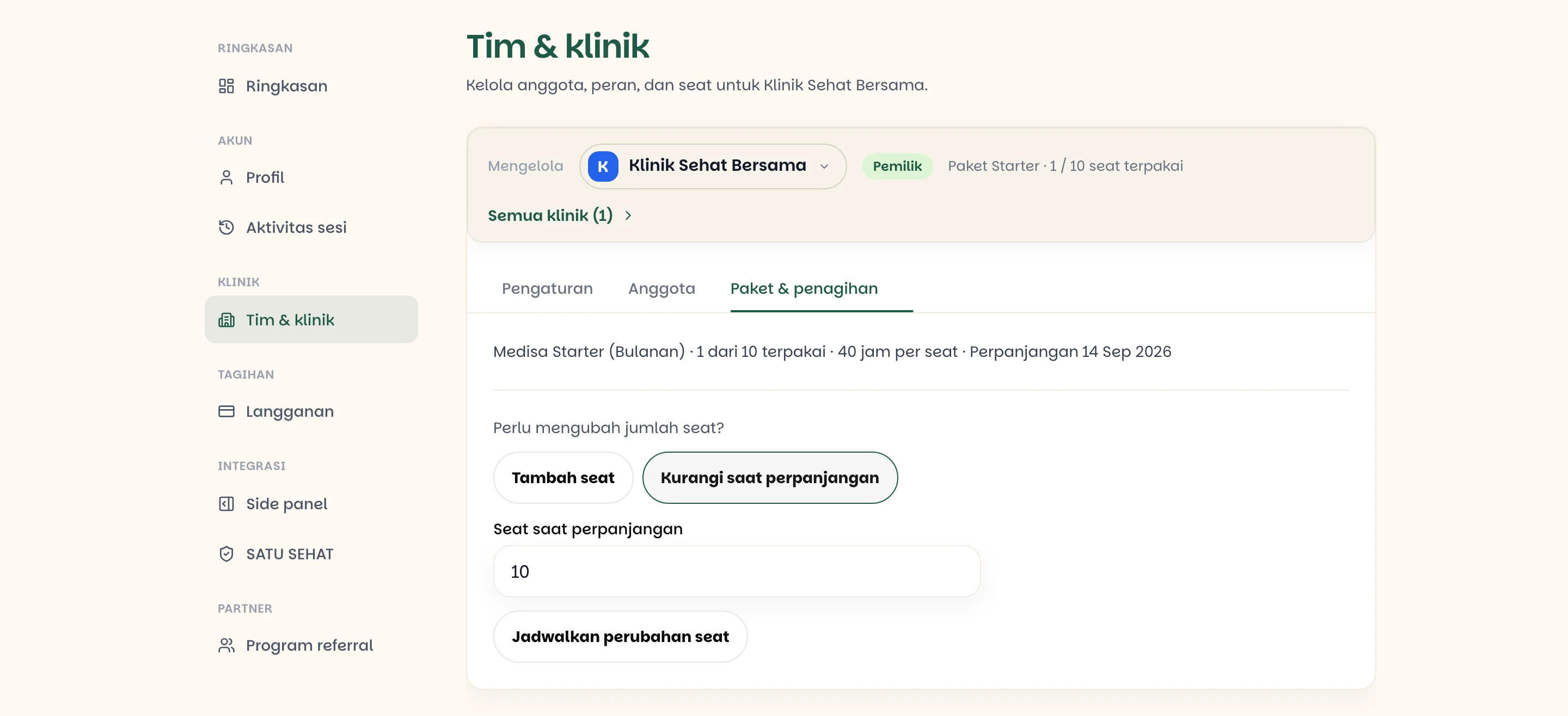
| When it takes effect | |
|---|---|
| Adding seats | Immediately, charged pro-rata |
| Reducing seats | At the next renewal |
No mid-cycle refunds
Removing a member frees their seat at once, but the seats you have purchased stay billed until the end of the cycle. That empty seat can be filled by another doctor immediately — so the value is not lost, it simply is not refunded as money.
Filling and emptying seats
| Event | Effect on seats |
|---|---|
| An invitation is accepted | One seat is taken; that doctor's personal subscription pauses |
| A member is removed | The seat frees immediately; their personal subscription resumes |
| A member leaves | Same as being removed |
| A pending invitation | Takes no seat until it is accepted |
Because an invitation only takes a seat when accepted, you can send several at once — but only as many can be accepted as you have free seats.
Limits worth knowing
- Invitations are rejected when seats are full. Add seats first.
- A plan downgrade is blocked while more seats are assigned than the target allows. Remove members or reduce seats first.
- A clinic that is not renewed expires. Every seat goes inactive and each member's personal subscription resumes with its remaining days. Records stay stored.
Renewal reminders go to the clinic's billing email before the cycle ends, and members approaching their quota limit are notified too.
If something goes wrong
| Symptom | Most common cause |
|---|---|
| Cannot invite a doctor | Every seat is taken, or seats were never activated |
| Paid but the seat count has not changed | The payment confirmation has not arrived — check the payment history |
| The seat count did not drop after scheduling | By design — it applies at the next renewal |
| Cannot downgrade the plan | More members are active than the target plan's seats allow |
| A member reports their quota is exhausted | Quota is per seat, not pooled — that doctor has used their own allowance |
| Plans & billing is read-only | You are an ordinary member; only Owner and Admins may change it |