
EMR Translation
How SOAP notes are translated, and why the transcript never is.
Medisa is used in settings where not everyone shares a language. This page explains which part of a medical record gets translated, which part never does, and what that means for you.
The basic rule
Only the SOAP note is translated
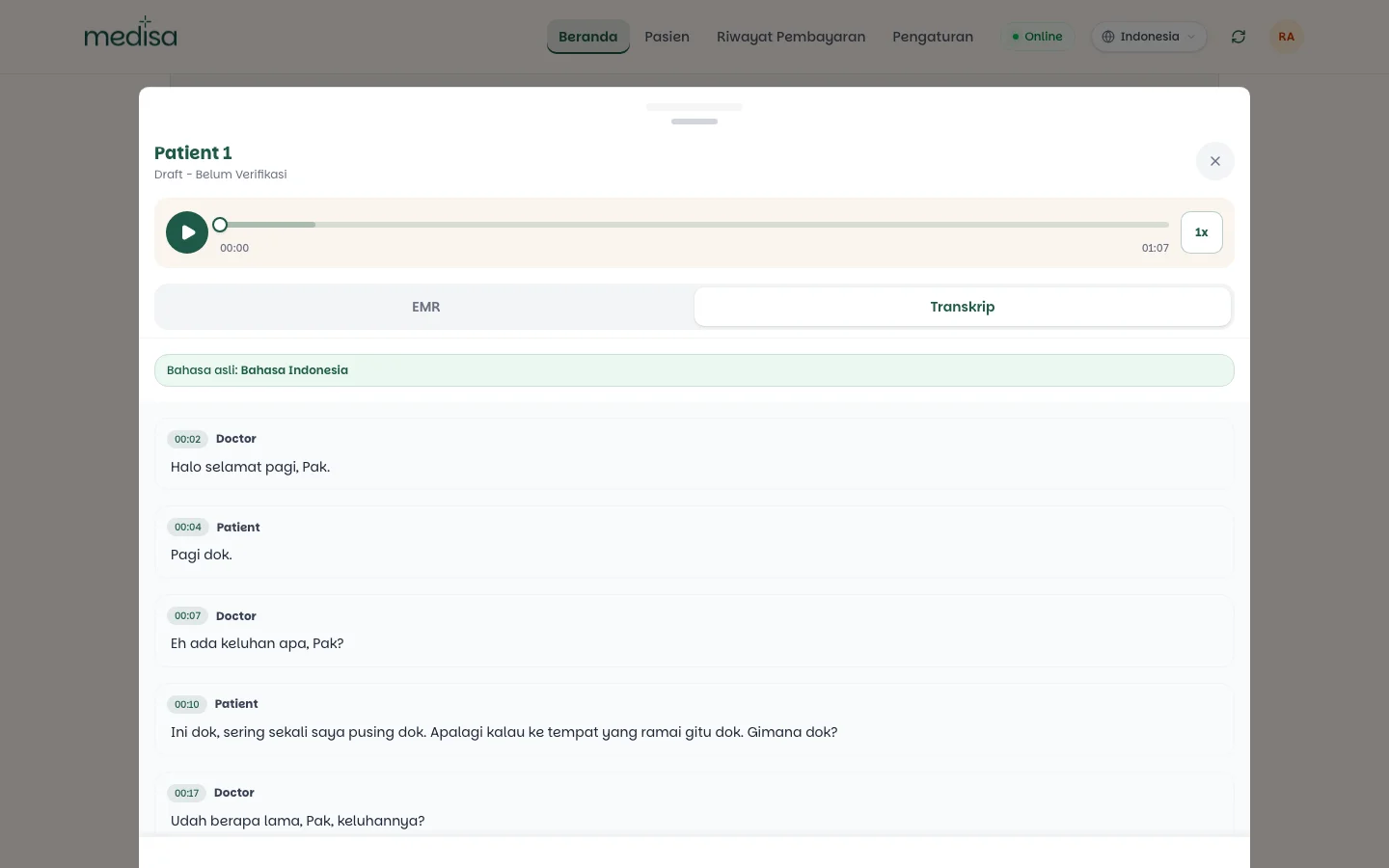
The transcript is always in the language of the conversation and is never translated, overwritten, or corrected after the fact. Only the SOAP content can be presented in another language.
The split is deliberate. A transcript is a record of what was actually said — translate it and it stops being evidence. The SOAP note is a structured interpretation, and that is the part worth reading across languages.
That is why every record stores its original language and shows it at the top.
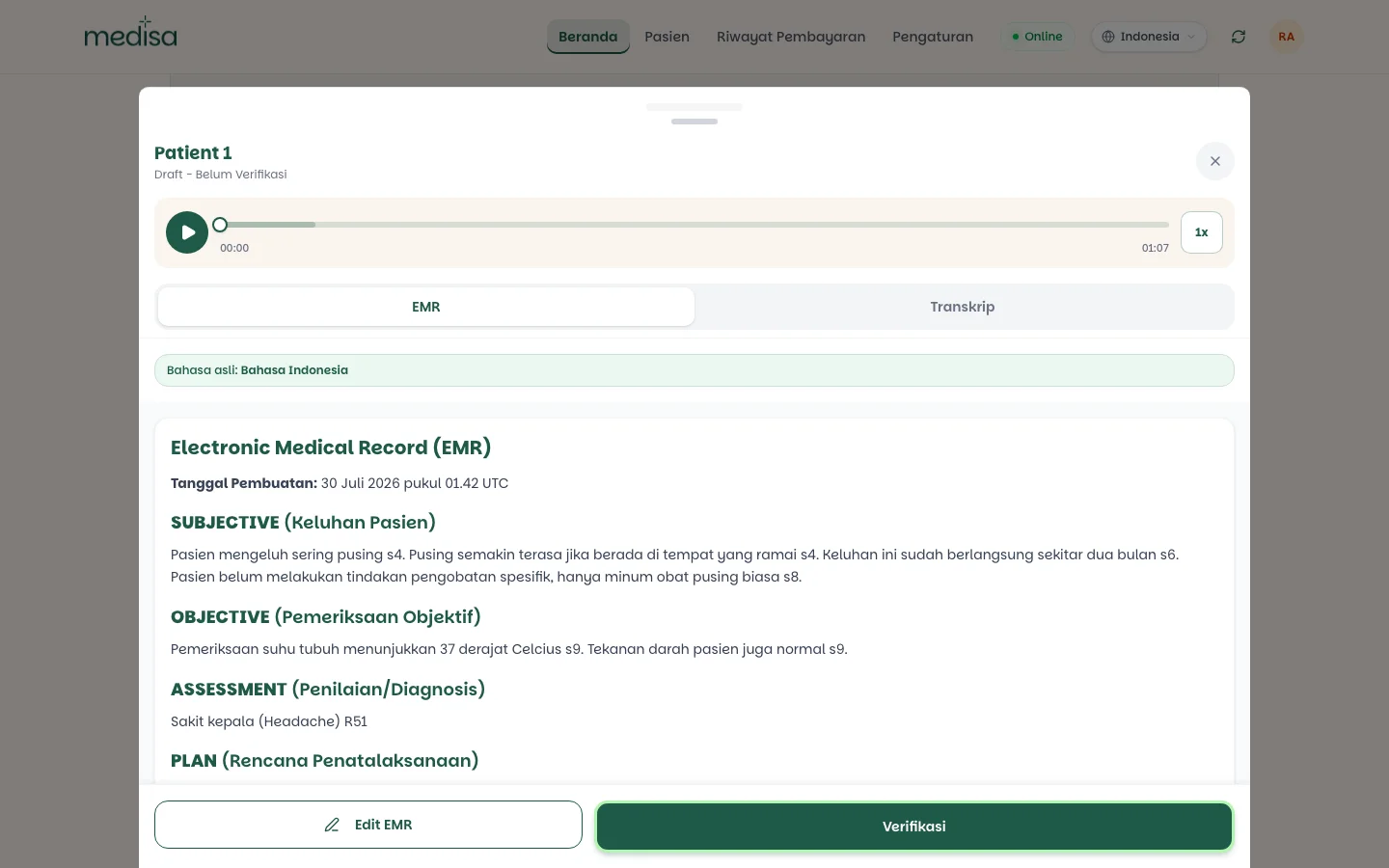
Changing the language
Language is set at the application level, from the picker in the top bar.
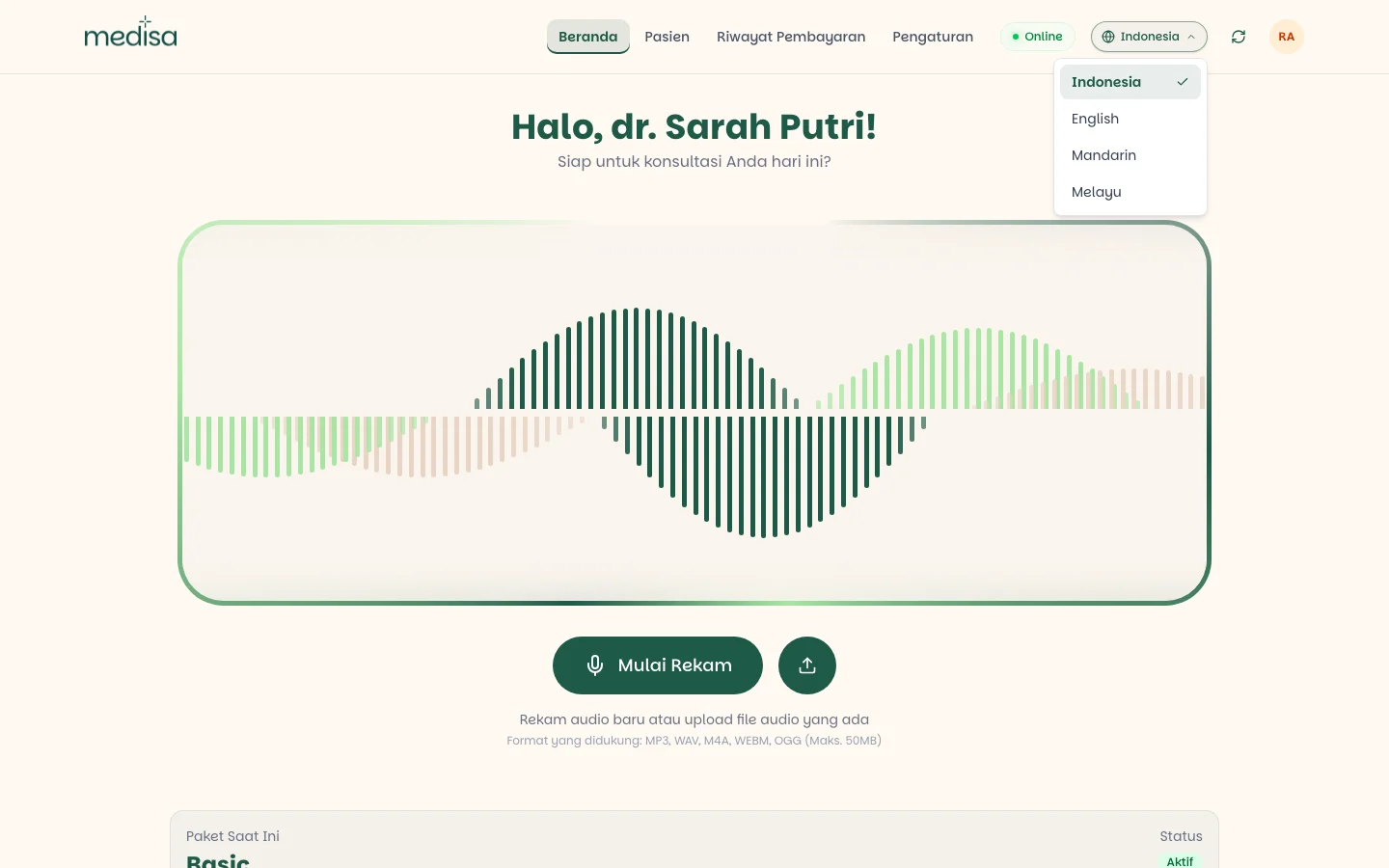
That choice drives three things at once:
- The interface language — menus, buttons, and labels.
- The language of notes generated for subsequent recordings.
- The display language of existing SOAP notes, including older records.
The choice is also stored on your profile, under Settings → Profile, in the Language & region section. See Authentication.
Seeing the translated result
Once the language is switched, open any record. Its SOAP content now appears in your chosen language, marked with a Translation label just below the original-language marker.
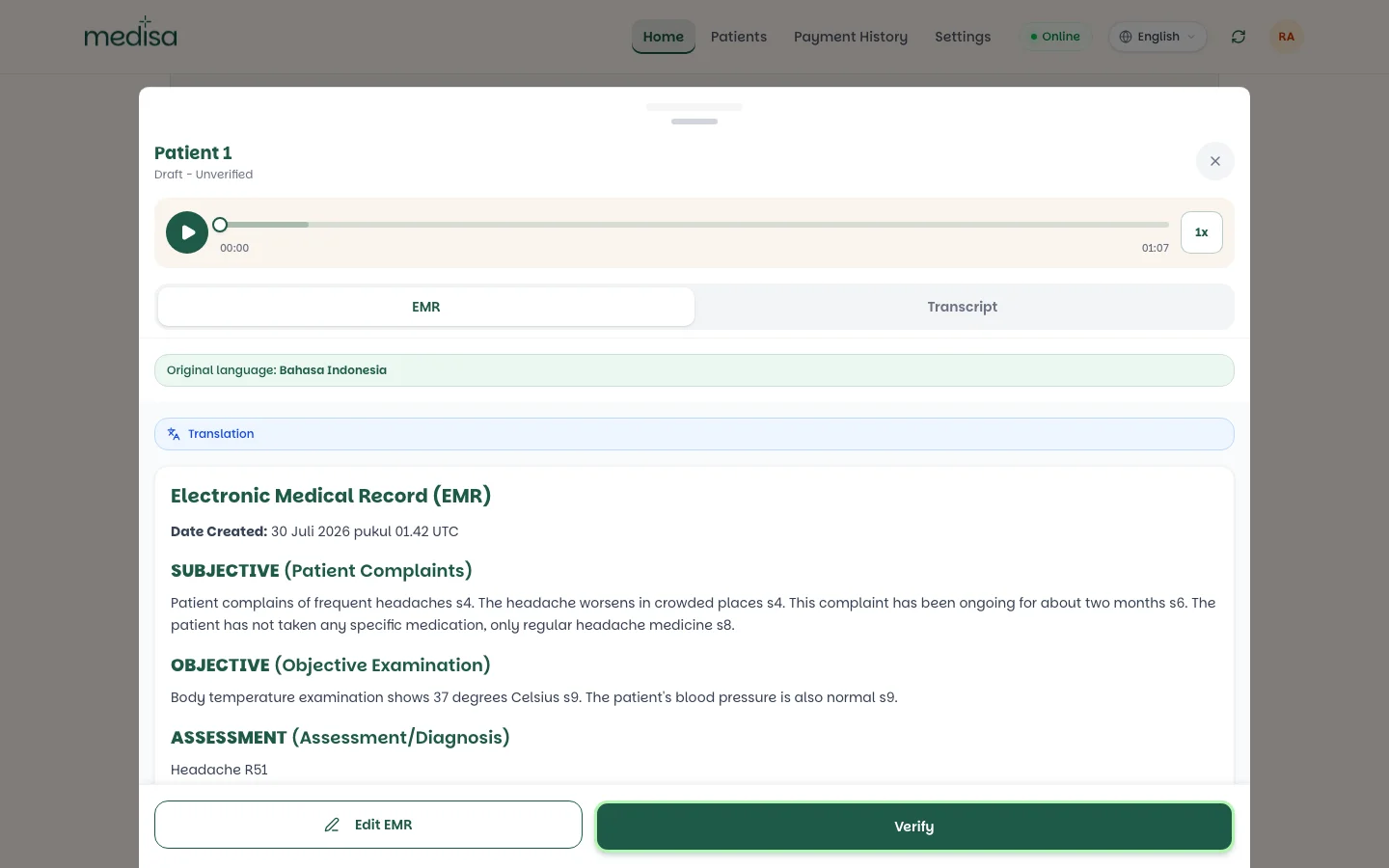
Three things to notice above:
- The original-language marker stays — you always know which language the note was born in.
- The Translation label marks that what you are reading is not the original text.
- Citations survive (
s4,s6,s8,s9), so every point can still be traced back to the original transcript.
Only the presentation changes. The original note is not overwritten — switch the language back and the original text returns exactly as it was.
The transcript stays as it was
Open the Transcript tab on a record to see the original conversation text — in the language actually spoken, whatever interface language is active.
How translation works
- Translation runs in the background, separately from saving the record. Saving a note never waits for a translation to finish.
- Because it is asynchronous, a translated version can appear a little after the original is ready.
- If a translation fails or is not ready yet, you see the original-language version — not a blank page.
Translations are AI-generated
Like the SOAP note itself, translations are produced by AI and labelled as such. For legal purposes, insurance claims, or official referrals, use the original-language version.
If something goes wrong
| Symptom | Most common cause |
|---|---|
| The note still shows the old language | Translation runs in the background; reopen it shortly |
| A note still shows in its original language | The translation is unfinished or failed — Medisa falls back to the original |
| The transcript language did not change | That is by design — transcripts are never translated |
| The language you need is not listed | The list is managed by the Medisa team; contact them to request one |