
Editing an EMR
Editing a SOAP note, verifying it, and what changes once a record is final.
An AI draft nearly always needs a touch. This page covers how to edit it and what verifying means.
Before you start
- The record has finished processing. See Creating a New EMR.
- You own the record, or have access to it through an organization.
Opening a record
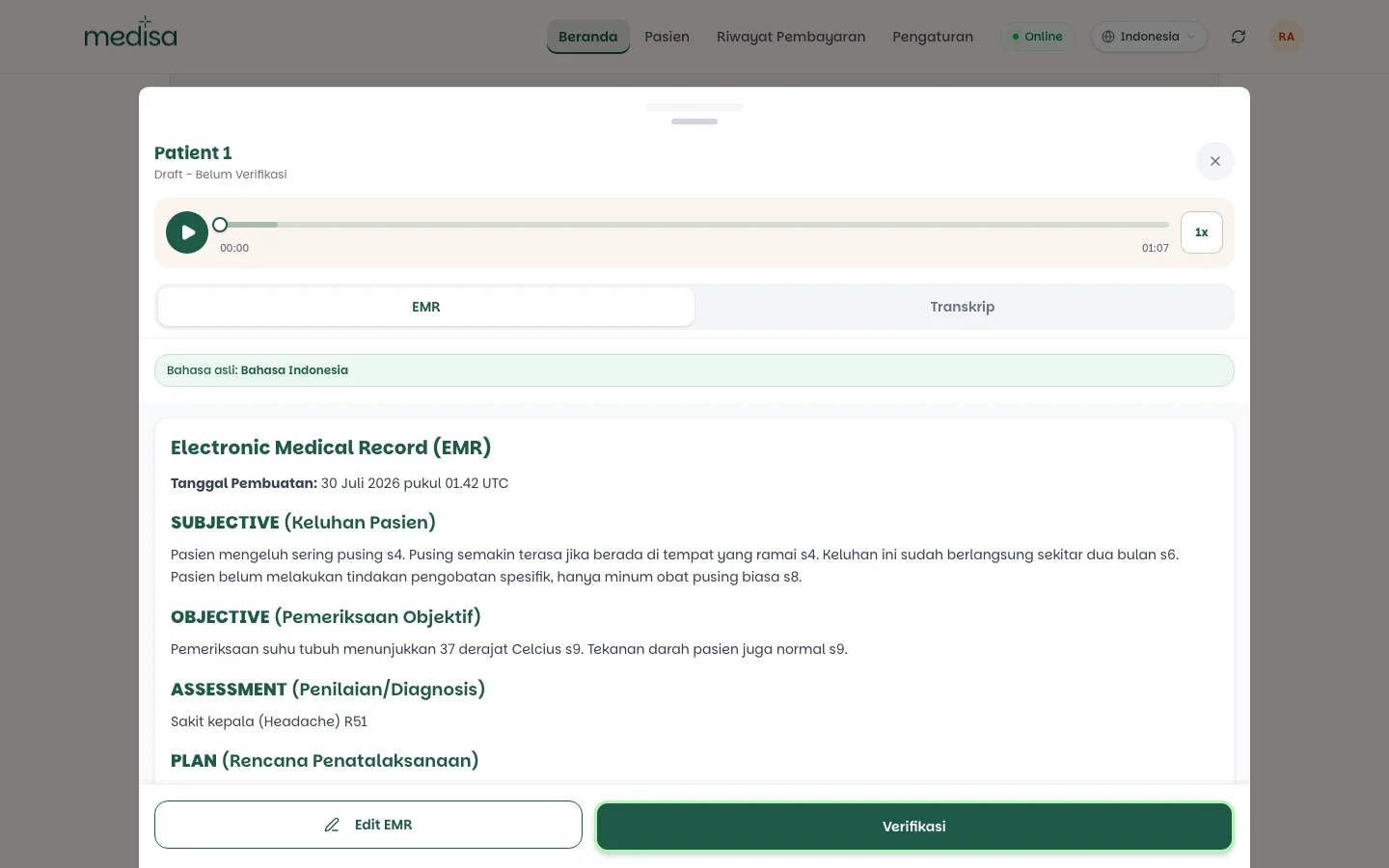
Open a recording from the Medical Records list on the home screen. Its status sits under the patient's name.
Editing the note
Press Edit EMR. The note turns into a formatted text editor.
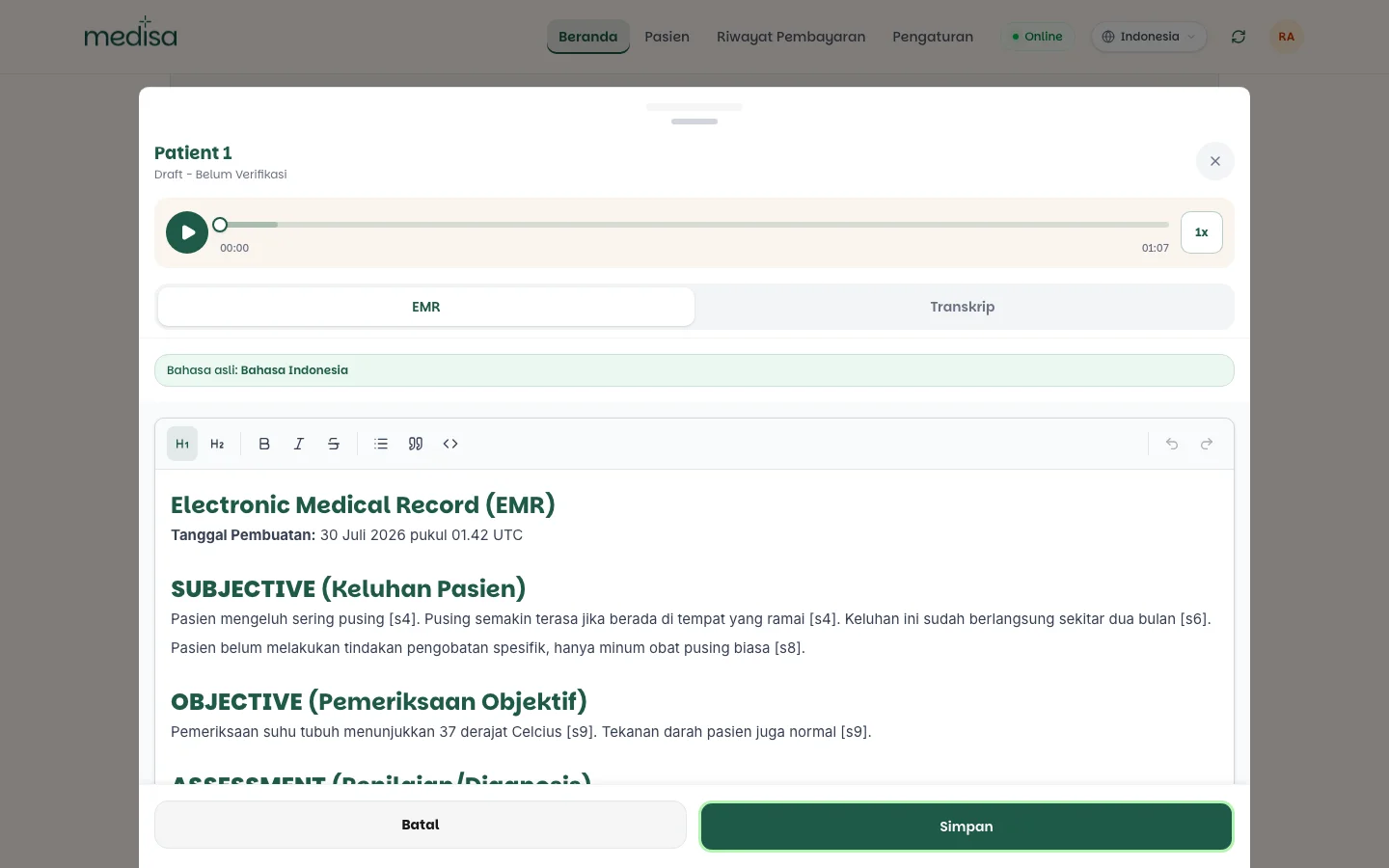
Correct what needs correcting. Any section can be changed — Subjective, Objective, Assessment, or Plan.
Press Save. To back out without saving, press Cancel.
Keep the citations while editing
Markers such as [s4] tie a statement to the part of the transcript behind it. Delete a marker and
that trail is lost — move it with its sentence rather than dropping it.
Verifying
Verify is your statement that you have read the note and it is correct. Until then the record is Draft - Unverified, meaning the content is still AI output you have not signed off.
Verify once:
- The whole SOAP note has been read, not just the Assessment.
- Anything doubtful has been checked against the audio or transcript.
- The suggested ICD-10 codes have been reviewed.
Verifying is a clinical act, not just a button. A verified record is a document you are accountable for.
What editing does not change
- The transcript is not edited with it. It records what was said, and it stays that way.
- The audio is untouched, so your edits can always be compared against the source.
- The original language of the record is still stored, even if you edit through a translated view. See EMR Translation.
If something goes wrong
| Symptom | Most common cause |
|---|---|
| No Edit EMR button | The record belongs to another doctor, or is not shared with you |
| Changes did not save | Save was not pressed, or the connection dropped while saving |
| Citations disappeared after editing | The [sX] markers were removed along with the replaced text |
| The content reverted | The editor was closed with Cancel rather than Save |